Getting started
On the Web Component Cloud (W2C) you can find modular Web Components that can be used in your own projects to enhance
the feature set of your website.
This guide shows you how to do that.
Step 1: Find a component
Head over to the list of all components currently available on W2C. Choose one that
you would like to embed on your own site.
In this tutorial we are going to use the "Fill-in-the-Blank Text" Component.
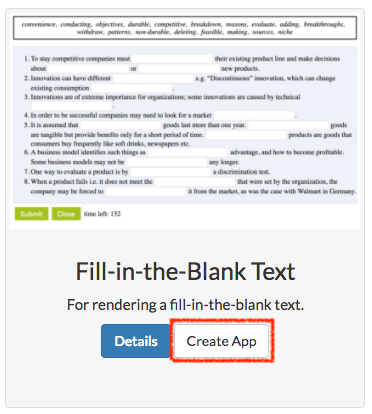
Step 2: Customize the component
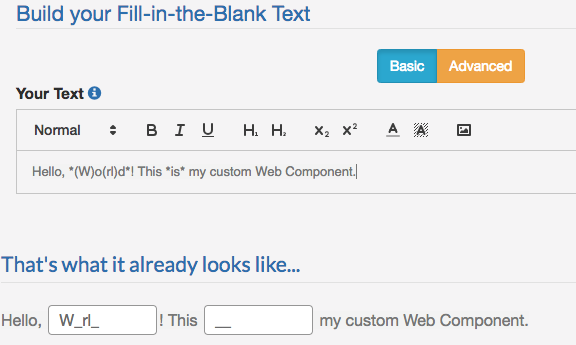
When you click on "Create App" you can customize the component, so that it suits your needs. Insert the following text into the editor:
Step 3: Save your App
When you are done with the customization of your component you can click on the "Save As New" button.
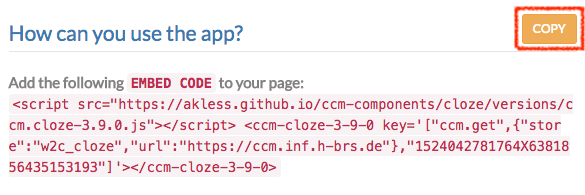
 A new window opens, which will present you with an embed code. Copy this code to your clipboard.
Step 4: Embedding the component in your website
Head over to the HTML file in which you would like your new component to show up. At the position where the
component should be displayed paste the embed code from the last step.
Now your are done and your newly created
component is ready to be used on your own site.